From Prompt to Product: How I Built a Storytelling Tool with Figma AI
Where do I start? Okay, let’s start with my point of view.
I was getting very bored of always using Figma for everything. I am a very structured, strategic thinker, and I love to organize my files meticulously — whether they are in Figma or elsewhere.
Normally, you use Figma to present designs and screens. Sure, you can use FigJam for workshops, and it is a perfect tool for that. But I wanted something more structured and centralized on one specific “job to be done”: sharing a key message, research insights, or a future experience without even entering the “pixel realm.”
This is a risk that is always possible: when using Figma, you often jump straight to screens before thinking about the essential thing — The Narrative.
I am really fascinated by narratives and how movies can catch your attention (or not) based on the methods and tools they use. So I asked myself: Why not create my own way to share storytelling and my work — a new way to present narratives without using Figma?
Today, the market offers tools based on a whiteboard approach to give you freedom, but there are no tools (or at least, only old ones) that help you create a storyboard with a narrative and present it well, without having to download a Figma template and “reinvent the wheel” every time.
So, I took Figma, opened the Make tool, and wrote my first prompt:
I want to create a storytelling tool to help designers and PMs to generate a step by step storyline to share their research or product ideas following storytelling best practices. (v1)
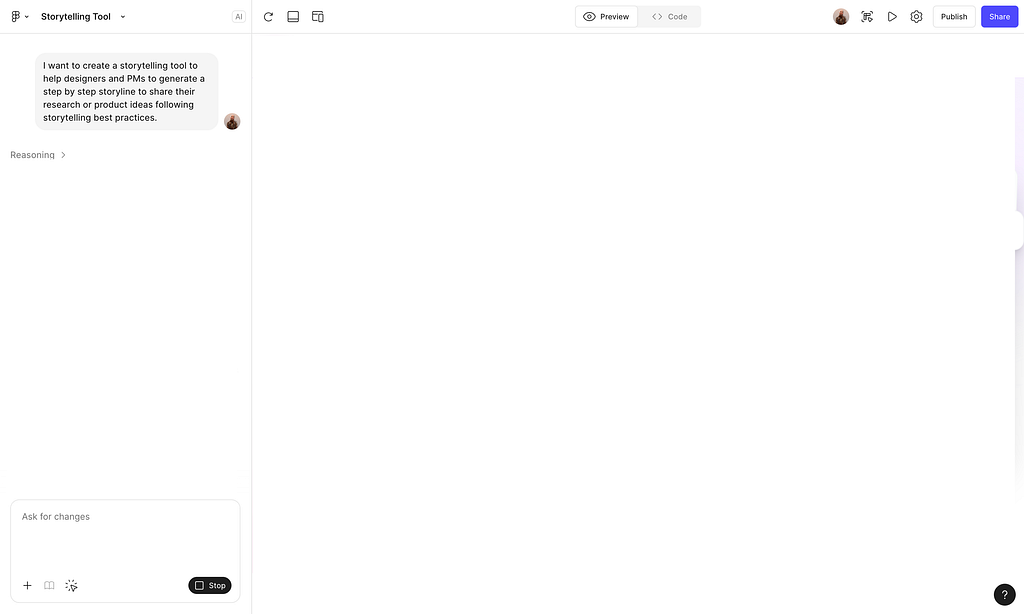
…without any design system applied — just a single Value Proposition in the prompt stating my intent — and I started creating my own tool.
Let’s deep dive into three important aspects when crafting a tool from scratch using AI.
1- Shape your vision and North Star before details
What matters is the vision, the dream, and the North Star you designed. Not the details.
You can start with an idea. Nobody will blame you. It is just a human need to try to have ideas to solve problems. Do not worry. I always push stakeholders in companies to step back and deep dive into the problem space before they even start thinking about solutions (because most of the time, they jump directly to THE solution without ideating together to de-risk the hypotheses).
But that is a different mindset. In companies, we need to adapt to the context; sometimes we need to step back, and sometimes we need to move forward with ideation. Everything depends on the company’s maturity level regarding design and research.
When you craft and build alone, however, you can start wherever you want because you are the decision-maker. You know all the risks and the possibility that your idea could be bad. So just try it and let’s do it.
The first thing — even if you already have an idea — is to decide who you are designing for and, even more importantly, what is the North Star? What is the vision you want to achieve?
I want [Add your dream/vision] Because [Add the need covered] So that [Add the outcome of your vision]
- I want us to focus more on the narrative and the meaningful process in the future, rather than directly on screens and UI.
- Because if we deep dive into details too fast, we lose focus on where we want to go, losing our strategic competitive positioning.
- So that it will be easier when it is time to create the detailed flow and product; everyone will align, follow the vision, and extract the details to create the final usable experience.
This is always what I want to do: Understand the system and its elements first, create a narrative (or several), and then design for them.
What we usually fail to focus on is the vision. We go directly into discovery (when applicable) and then straight to detailed screens using our design system. But we never know where we want to go — our direction and what we believe in. So, next time, use the vision to drive your discovery work and design decisions. This gives you a strong point of view based on evidence, not just personal thinking.
A little tip: I found it very interesting that when using AI to develop tools, you shouldn’t have the details from the beginning. It is the narrative — the story — that helps the AI understand your intent and gives you the best output. Details come at the end.
2- Refinement is the core part: Take it as ongoing user testing
Okay, after the first prompt, I added more direction on what I imagined the storytelling tool should look like.
What was interesting is that, even unconsciously, I was the user testing what the AI delivered to me.
Every time I sent a prompt to improve or add something, it was because I had tried the experience and noted elements to add or fix (and not just technical ones).
This design approach is fascinating because the AI Agent (who is coding and designing the app) is doing the work to craft the solution based on your directions, while you act as the main user/tester giving structured feedback. This is powerful.
Just imagine if your user had the ability to tell your designer, developer, or PM, “Hey, I find this difficult,” or “I don’t understand how this works,” and directly apply fixes to solve the problem.
This is a great example of the value of not diving into details before testing. AI tools like Figma Make help you craft a first usable version based on what you envisioned. You can use this to conduct testing (moderated, unmoderated — choose the best test for your situation). Give the user a task to complete (it is better to recruit the right audience rather than saying “Imagine you are a doctor” — just recruit a doctor) and let them use your prototype.
When you gather insights from your testing, put the things to improve in a table with the topic, the problem, the root causes, the need, and the recommended solution. You can use this table to create a V2 of your prototype simply by sending this list to the AI agent, who will execute the improvements.
Once you have the tested version, you can finally deep dive into the details using your own design system, knowing that you spent much less time and effort on concept design while gathering important information to design for clarity.
Critique the design and change your mind continuously
You have a vision, and you iterate fast from feedback… but what if you change your mind while developing?
Critiquing your own design and experience is a core aspect of building with tools like Figma Make. You can change the scope, kill features, add more, or totally change the vision to cover people’s needs.
The beauty of fast concept design (and not going directly to Figma screens) is that you can change your narrative based on what you find during the journey. This can happen during narrative creation or concept ideation.
For my Storytelling tool idea, I started with the scope of having only a narrative tool. Later, I evolved this by adding a Character Management tool across stories. Finally, I landed on adding Service Blueprint types of stories using the same characters. Now, the user can follow the characters through a high-level narrative and see how they act in detail within a solution — showing what happens behind the scenes thanks to the blueprint.
Even further — because I blame screens at the beginning but know they are essential — I added the possibility to embed Figma links in the storytelling. At the very end, I added a “Learn” section on how to create stories.
This ability to change your mind fast is a key capability when designing with AI. It is a must-have skill: learning to pivot the direction of your idea and design when you see the right signals.
Before finish, here is the access to the tool
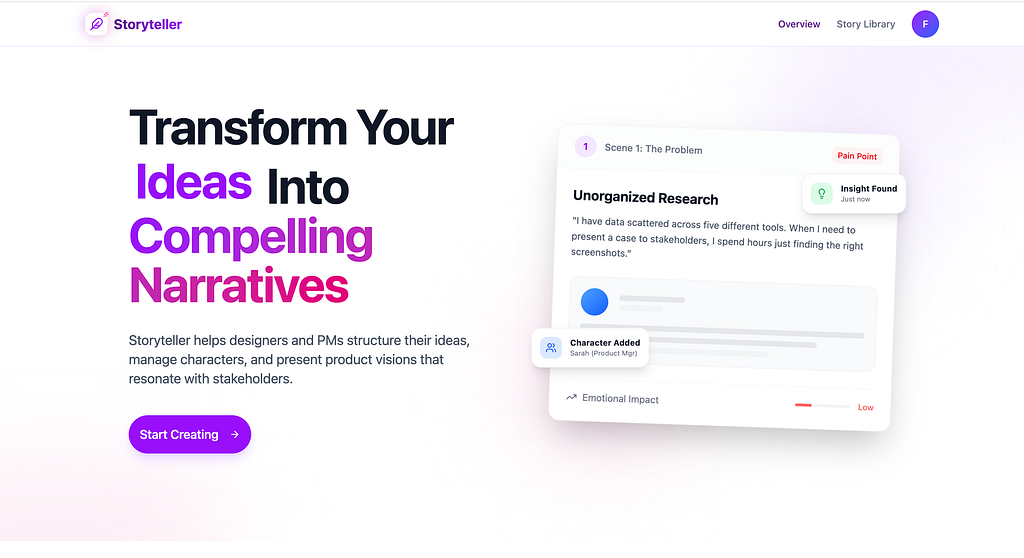
Yes, this is the final landing page for the tool.
Wait — it is not just a landing page. You can create your own account and start using the tool immediately. You have full control over your data, including the option to delete all your content and your account.
There are a few small bugs, but this is what I created with just 4 hours of focused work spread over one week. And it is still fully usable.
Link to access:
Fredy Pascal
Principal Service Designer
Ciao ciao ;-)
From Prompt to Product: How I Built a Storytelling Tool with Figma AI was originally published in Bootcamp on Medium, where people are continuing the conversation by highlighting and responding to this story.